
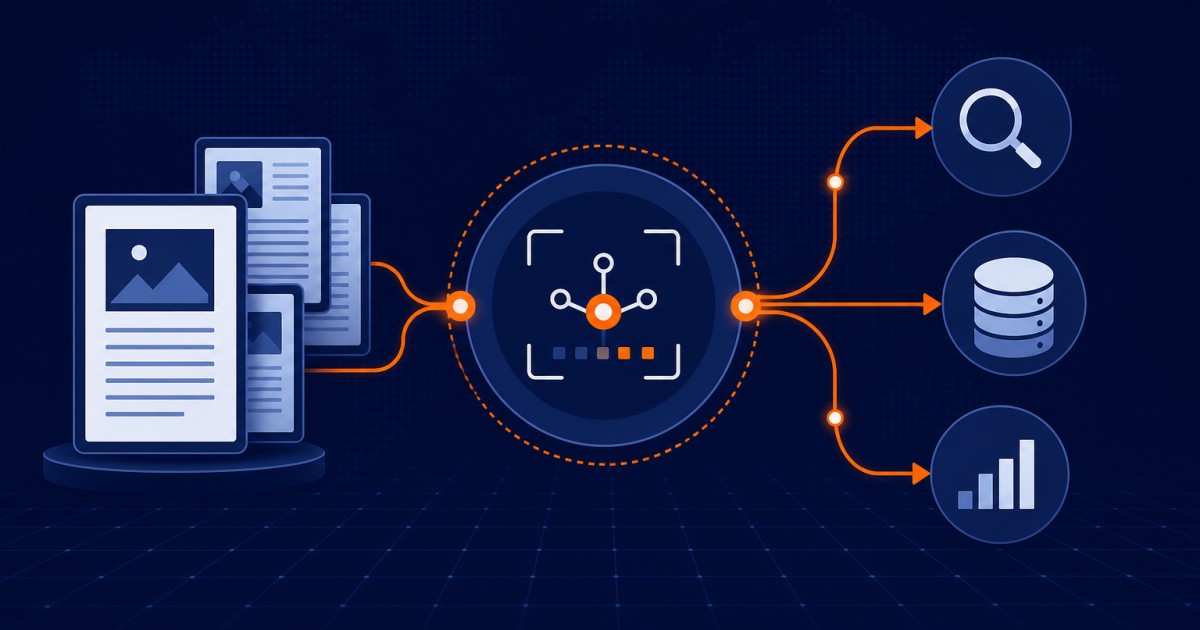
OAI-PMH OJS is what this guide covers, with the exact checks and fixes journals hit in production. More OJS help: Open Journal Systems guides.
OAI-PMH OJS
Your Articles Are Published, but Nobody Can Find Them
Direct answer: Enable OJS's OAI Metadata Harvesting plugin, set base_url to your live HTTPS domain (no localhost/staging or trailing slash), confirm /index.php/index/oai returns valid XML, list published articles via ListRecords&metadataPrefix=oai_dc, complete required metadata, test with an external harvester, then let Google Scholar (and DOAJ) harvest the feed—and retest after upgrades or domain moves.
Your journal has published articles. Your editorial team is proud of the work. But when researchers search for relevant topics on Google Scholar, your journal's articles do not appear. When indexing services try to harvest your article metadata, they find nothing.
The problem is not your articles. It is that your OAI-PMH endpoint is not configured, or is configured incorrectly. OAI-PMH is the infrastructure through which Google Scholar, DOAJ, Scopus, PubMed, and dozens of other discovery services automatically harvest article metadata from your journal.
Without OAI-PMH properly configured, your journal is invisible to automated discovery systems. Every article you publish might as well be in a vault. Researchers cannot find your work. Indexing services cannot include you in their databases. Your journal's reach is limited to the small number of people who happen to visit your website directly.
Configuring OAI-PMH correctly takes less than an hour, but the impact on your journal's visibility is enormous. Articles that were invisible become discoverable. Author citations increase. Your journal's impact grows.
This guide walks you through the complete OAI-PMH setup in OJS, from enabling the plugin through testing with Google Scholar, written by OJS specialists who have configured OAI-PMH for journals across 20+ countries.
If you want an expert to configure your OAI-PMH endpoint and verify it is being harvested correctly, visit ojsguru.com for a free consultation.
What Is OAI-PMH and Why Does Your Journal Need It?
OAI-PMH, the Open Archives Initiative Protocol for Metadata Harvesting, is a technical standard that allows automated systems to extract article metadata from your journal in a standardized format.
When you publish an article in OJS, you enter:
- Title
- Authors
- Abstract
- Publication date
- Volume and issue
- Page numbers or article ID
Without OAI-PMH, this metadata stays locked inside your OJS database. Only someone visiting your website can see it. With OAI-PMH properly configured, this metadata is automatically exposed in a standard format that Google Scholar, DOAJ, Crossref, and other services can harvest, index, and make searchable.
Google Scholar uses OAI-PMH to discover new journals. When you enable and configure OAI-PMH, Google Scholar's crawler can automatically find your journal, harvest your article metadata, and begin indexing your articles. Within weeks, your articles appear in Google Scholar search results.
DOAJ and other indexing services require OAI-PMH. DOAJ literally cannot index journals without a functioning OAI-PMH endpoint. If you apply to DOAJ without OAI-PMH, your application will be rejected. If your OAI-PMH endpoint stops working, DOAJ will delist your journal.
Persistent visibility for your articles. OAI-PMH is how your articles stay indexed even when your URL or metadata changes. If you move your journal to a new server, OAI-PMH makes your content discoverable in the new location.
How to Set Up OAI-PMH in OJS (Setup Path)
Complete this path before waiting on Google Scholar. Numbered plugin, base_url, harvest, and indexing steps follow in detail.
- Enable the OAI Metadata Harvesting Plugin under Website Settings → Plugins → Generic Plugins.
- Set config.inc.php base_url to the live HTTPS domain (no localhost, staging, or trailing slash); clear OJS cache.
- Open /index.php/index/oai in a browser and confirm OAI-PMH XML (not HTML error or blank page).
- Call ListRecords with metadataPrefix=oai_dc and ensure published articles appear.
- Confirm ListMetadataFormats includes oai_dc (Dublin Core).
- Complete title, authors, publication date, journal/ISSN (plus abstract when possible) on every published article.
- Validate with an external harvester such as oaipmh.com and fix any metadataPrefix, records, or base URL errors.
- Allow Google Scholar to discover the feed (optional publisher notice); recheck indexing after 4–8 weeks.
- Search Scholar for a sample article title and confirm correct journal link and metadata.
- Maintain monthly: keep plugin on, publish status true, metadata complete, and retest OAI after upgrades or domain changes.
Step 1: Enable the OAI Metadata Harvesting Plugin
The OAI-PMH plugin is built into OJS but disabled by default. Your first step is to enable it.
Go to Website Settings → Plugins → Generic Plugins
Find OAI Metadata Harvesting Plugin in the list. If it shows as disabled, click Enable.
Once enabled, the OAI-PMH endpoint becomes immediately active at:
https://yourjournal.com/index.php/index/oaiYou can visit this URL in your browser right now to see if your endpoint is working. You should see an XML page. If you see a blank page or 404 error, go to Step 2.
Step 2: Verify Your Base URL Is Configured Correctly
OAI-PMH generates article URLs using your OJS base_url setting. If base_url is misconfigured, the OAI endpoint will output article links that resolve to the wrong location, or to localhost, a staging domain, or a non-existent URL.
Open config.inc.php and verify:
base_url = "https://yourjournal.com"This must be:
- Your live domain, NOT localhost
- Your live domain, NOT a staging or development URL
- Your actual domain, NOT example.com or a placeholder
- Without a trailing slash
Common misconfigurations:
; WRONG, points to localhost
base_url = "http://localhost/ojs"

; WRONG, points to staging server
base_url = "https://staging.yourjournal.com"

; WRONG,  has trailing slash
base_url = "https://yourjournal.com/"

; CORRECT
base_url = "https://yourjournal.com"
After correcting base_url, restart your web server:
sudo systemctl restart apache2
# or
sudo systemctl restart nginx
Then clear your OJS cache:
rm -rf /path-to-ojs/cache/fc/*
rm -rf /path-to-ojs/cache/t_cache/*
Step 3: Test Your OAI-PMH Endpoint
Visit your OAI endpoint in your browser:
https://yourjournal.com/index.php/index/oaiYou should see an XML page that starts with:
  2026-06-27T14:32:15Z
  ...
If you see this XML structure, your OAI-PMH endpoint is working. If you see anything else, a blank page, a 404 error, HTML instead of XML, your endpoint has a configuration problem that must be fixed before proceeding.
Common OAI-PMH endpoint problems:
Blank page or 404 error: Your web server is not routing the request to OJS correctly. Check your Apache or Nginx rewrite rules. Ensure mod_rewrite is enabled (Apache) or that your location block exists (Nginx).
HTML output instead of XML:
Your OJS is processing the request but encountering a PHP error that produces HTML error output instead of XML. Check your OJS error log at /cache/logs/errors.log for PHP errors.
Connection timeout: Your server is blocking outgoing connections or the request is timing out. Check your firewall rules and confirm the URL is accessible from outside your network.
Step 4: Verify Articles Appear in OAI Output
OAI-PMH only outputs articles with a status of "Published." Articles in Draft, Scheduled, or Declined status do not appear in the harvest.
Go to your OAI endpoint and append this parameter:
https://yourjournal.com/index.php/index/oai?verb=ListRecords&metadataPrefix=oai_dcThis lists all published articles in Dublin Core metadata format. You should see entries for each published article with their metadata. If you see no records even though you have published articles, those articles may not have a "Published" status.
To check article status:
- Go to your journal's main editorial view
- Look for each article's publication status
- If any are in Draft or Scheduled status, change them to Published
- Re-test the OAI endpoint
Step 5: Check OAI Metadata Format Configuration
OAI-PMH can output metadata in multiple formats. Google Scholar and most indexing services use Dublin Core (oai_dc) format, which is the default in OJS.
To verify metadata formats are available, access your OAI endpoint with this parameter:
https://yourjournal.com/index.php/index/oai?verb=ListMetadataFormatsYou should see XML output listing available formats. It should include at minimum:
  oai_dc
  http://www.openarchives.org/OAI/2.0/oai_dc.xsd
  http://purl.org/dc/elements/1.1/
If this format is not listed, your OAI configuration is incomplete. Contact OJS support or check the OAI plugin settings.
Step 6: Verify Article Metadata Completeness
For Google Scholar to index your articles, certain metadata fields must be complete:
Required fields:
- Article title
- Author name(s), cannot be blank, "Anonymous," or placeholder text
- Publication date, must be set to an actual date
- Journal title and ISSN
Recommended fields:
- Abstract
- Volume and issue numbers
- Keywords
- Article URL (generated automatically by OJS)
Check a published article:
- Go to Publication → Metadata
- Verify all fields are complete
- Do not leave Author fields blank
- Do not use "Anonymous" as an author unless the article is truly anonymous
- Confirm the publication date is set
If any articles have incomplete metadata, edit them and complete the missing fields. Google Scholar will not index articles with missing required metadata.
Step 7: Test with an OAI Harvester
Before waiting for Google Scholar to discover your journal, test your OAI endpoint with a dedicated OAI testing tool. This confirms your endpoint is working and producing valid XML.
Use the free oaipmh.com testing service:
- Go to oaipmh.com
- Enter your OAI base URL: https://yourjournal.com/index.php/index/oai
- Leave the Metadata Format as oai_dc (Dublin Core)
- Click Test Harvest
A successful harvest displays your article metadata in Dublin Core format. An unsuccessful harvest shows an error message explaining what went wrong.
Common harvester errors:
"Unknown metadataPrefix"
Your OAI plugin is not configured to support Dublin Core format. Check your OAI plugin settings in OJS.
"No records found"
No articles have a Published status. Publish at least one article and re-test.
"Invalid identifier format"
Your base_url is incorrect. The harvester is receiving article URLs that do not resolve. Fix base_url in config.inc.php.
"Connection refused"
Your server is blocking the connection. Check your firewall and ensure port 443 (HTTPS) is open for outgoing connections.
A successful harvest confirms your OAI endpoint is working and ready for Google Scholar and other indexing services.
Step 8: Submit Your Journal to Google Scholar
Google Scholar automatically discovers journals through OAI-PMH, you do not need to submit manually. Once your OAI-PMH endpoint is working and accessible, Google Scholar's crawler will find your journal within 2 to 4 weeks and begin indexing your articles.
You can optionally speed up the process by submitting your journal to Google Scholar manually:
- Go to scholar.google.com/intl/en/opengrey/publishers.html
- Scroll to "Publisher Guidelines" and look for a direct submission form or email address
- Submit your journal's metadata and OAI endpoint URL
- Google Scholar will respond with confirmation when they begin indexing
After submitting, check back in 4 to 8 weeks. Your journal's articles should begin appearing in Google Scholar search results.
Step 9: Verify Google Scholar Indexing
After giving Google Scholar 4 to 8 weeks to discover and index your journal, verify that your articles are being indexed.
Search Google Scholar for an article title from your journal:
https://scholar.google.com/scholar?q="Your Article Title"If the article appears in results with your journal name, publication date, and a link to your article page, Google Scholar is indexing your journal correctly.
If after 8 weeks your articles still don't appear in Google Scholar:
- Verify your OAI endpoint is still working
- Confirm all published articles have complete metadata
- Check that base_url points to your live domain
- Resubmit your journal to Google Scholar with a note that the OAI endpoint is now functional
Step 10: Maintain Your OAI-PMH Endpoint Going Forward
OAI-PMH requires ongoing maintenance to continue functioning correctly.
Monitor your endpoint monthly: Visit your OAI endpoint and verify it returns XML without errors:
https://yourjournal.com/index.php/index/oai?verb=ListRecords&metadataPrefix=oai_dcEnsure all new articles are Published: Unpublished articles do not appear in OAI harvest. Before considering an article complete, verify it has a Published status.
Keep metadata complete: Every new article must have title, authors, publication date, and abstract complete before publication. Incomplete metadata reduces indexing quality.
Monitor for OAI errors: If your OAI endpoint stops returning XML, check:
- Is the OAI plugin still enabled?
- Has base_url changed?
- Are there new PHP errors in your error log?
- Is your web server rewriting URLs correctly?
Update your OAI endpoint after OJS upgrades: After upgrading OJS, test your OAI endpoint to confirm it still works. OJS upgrades occasionally require OAI plugin re-configuration.
Troubleshooting Common OAI-PMH Problems
Problem: OAI endpoint returns a blank page
Cause: Web server is not routing the request to OJS correctly.
Fix:
- Verify mod_rewrite is enabled (Apache): sudo a2enmod rewrite && sudo systemctl restart apache2
- Verify Nginx location block exists and properly configured
- Check .htaccess file exists in OJS root directory
Problem: OAI endpoint returns XML but shows no article records
Cause: Articles are not published, or they do not have the Published status.
Fix:
- Go to each article in OJS editorial view
- Check the publication status dropdown
- Change from Draft or Scheduled to Published
- Re-test OAI endpoint
Problem: Google Scholar still not showing articles after 8 weeks
Cause: Articles lack required metadata or article URLs are malformed in OAI output.
Fix:
- Check each article's metadata completeness (title, authors, abstract, publication date)
- Verify base_url does not point to localhost
- Use oaipmh.com to test the harvest and view the actual XML being output
- Check that article URLs in the XML output actually resolve when clicked
Problem: OAI harvester receives "Invalid base URL"
Cause: base_url in config.inc.php is incorrect.
Fix:
- Open config.inc.php
- Find base_url = ...
- Change to your actual live domain without trailing slash
- Clear OJS cache
- Restart web server
- Re-test OAI endpoint
OAI-PMH Configuration for Specialized Indexes
If your journal wants to be indexed by specialized indexes beyond Google Scholar:
For DOAJ indexing: DOAJ requires OAI-PMH. Your endpoint must work as configured above. No additional setup needed.
For PubMed Central (PMC): PMC requires both OAI-PMH and JATS XML format. Consult PMC's submission guidelines for additional metadata requirements.
For Scopus or Web of Science: These services use multiple discovery methods including OAI-PMH, but also require direct submission and editorial evaluation. OAI-PMH alone is not sufficient for Scopus acceptance, but it aids the discovery process.
For database-specific harvesting: Some disciplinary databases (PsycINFO, ERIC, etc.) have their own harvesting protocols beyond OAI-PMH. Consult the specific database's submission guidelines.
When to Call in a Professional
OAI-PMH setup is straightforward for most journals, but some situations require expert help:
- Your OAI endpoint is not producing XML and you cannot diagnose why
- You have just migrated to a new server and your OAI endpoint broke
- You have hundreds of articles with incomplete metadata that need to be corrected in bulk
- You want to ensure every aspect of OAI-PMH is working correctly before applying to DOAJ or Scopus
- You want OAI-PMH set up correctly from the start to avoid future discovery issues
OJS Guru configures OAI-PMH, tests it with multiple harvesters, verifies Google Scholar indexing, and troubleshoots any issues. We ensure your OAI endpoint is working correctly and your articles are discoverable.
👉 Get a free consultation at ojsguru.com
Frequently Asked Questions
What is OAI-PMH in OJS?
OAI-PMH (Open Archives Initiative Protocol for Metadata Harvesting) exposes published article metadata as harvestable XML so Google Scholar, DOAJ, Crossref, and other services can discover your journal automatically. Without a working endpoint, metadata stays locked in OJS and automated indexers cannot find you.
How do I enable OAI-PMH in OJS?
Go to Website Settings → Plugins → Generic Plugins and enable OAI Metadata Harvesting Plugin. The endpoint becomes active at /index.php/index/oai (path can vary by journal path). Then set base_url to the live domain, clear cache, and open the URL to confirm XML output.
Why does my OAI endpoint show no article records?
OAI only lists articles with Published status. Draft, Scheduled, or Declined items are omitted. Confirm Live base_url, complete required metadata, and call ListRecords with metadataPrefix=oai_dc. Use oaipmh.com to validate the harvest.
Does Google Scholar need a manual OAI submission?
Usually no—Google Scholar can discover journals via a public OAI-PMH feed within about 2–4 weeks once the endpoint is correct. You may optionally notify Google Scholar publishers for faster discovery; allow 4–8 weeks before judging indexing success.
How do I fix a blank page or 404 at the OAI URL?
Web server rewrites are usually wrong. Enable Apache mod_rewrite/.htaccess routes (or correct Nginx location blocks), confirm the OAI plugin is still on, check OJS error logs for PHP HTML errors, and retest after fixing base_url and clearing cache.
Is OAI-PMH required for DOAJ?
Yes. DOAJ harvests via OAI-PMH; a non-working endpoint is a common rejection or delisting cause. Get XML harvest working (Dublin Core at minimum) before applying, and recheck after server or domain migrations.
Summary
OAI-PMH is the infrastructure through which your journal's articles become discoverable by Google Scholar, DOAJ, and other indexing services. Setting it up correctly takes less than an hour but dramatically increases your journal's visibility and impact.
The ten steps covered in this guide take you from zero to a fully functional, tested OAI-PMH endpoint:
- Enable the OAI Metadata Harvesting Plugin
- Verify your base_url is configured correctly
- Test your OAI-PMH endpoint in your browser
- Verify articles appear in OAI output
- Check OAI metadata format configuration
- Verify article metadata completeness
- Test with an OAI harvester tool
- Submit your journal to Google Scholar
- Verify Google Scholar indexing
- Maintain your OAI-PMH endpoint going forward
Done correctly, your articles will appear in Google Scholar, DOAJ, and other discovery services within weeks of going live.
If you want an expert to set up OAI-PMH for your journal and verify it is working correctly, contact OJS Guru at ojsguru.com. We'll ensure your articles are discoverable.
OJS Guru is a professional Open Journal Systems service provider specializing in OJS installation, customization, migration, and technical support for research journal publishers in 20+ countries. Visit ojsguru.com to request a free consultation.
