
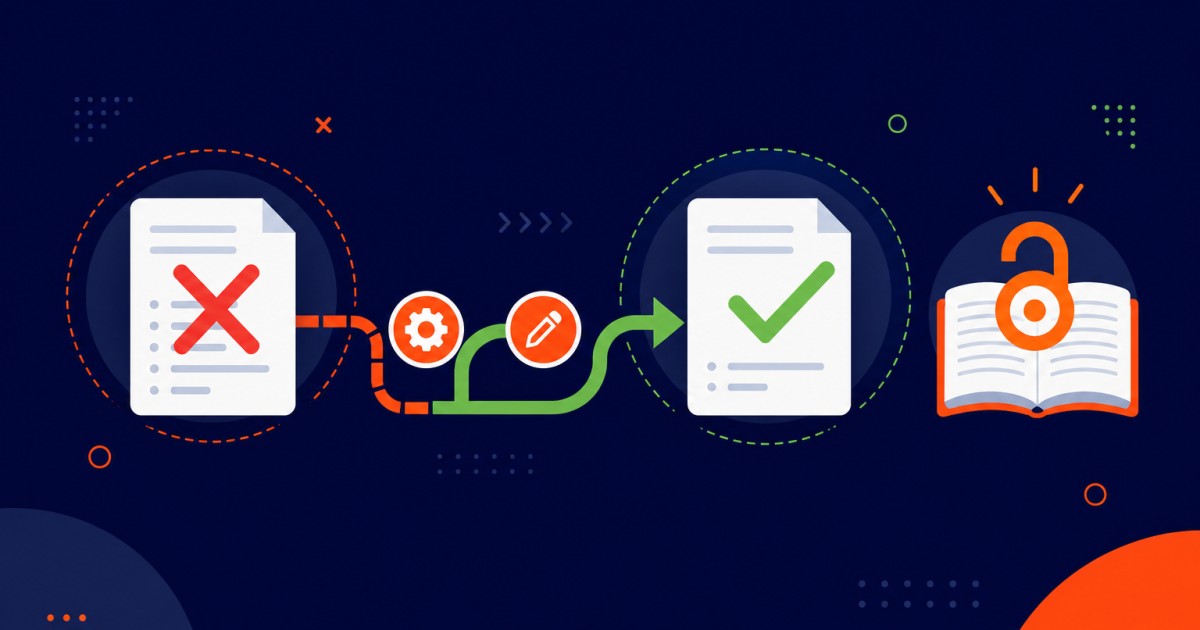
DOAJ application rejected is what this guide covers, with the exact checks and fixes journals hit in production. More OJS help: Open Journal Systems guides.
DOAJ application rejected
The Email Arrived. Your DOAJ Application Was Rejected.
Direct answer: A DOAJ rejection is usually fixable OJS configuration or missing public policies—not a final judgment on your journal. Decode each reason in the letter, repair OAI-PMH, ISSN, metadata, licenses, peer-review and contact details (plus the other common gaps), verify on the live site, wait about three months, then reapply with the same ISSN and a short note of what you fixed.
A "DOAJ Application Rejected" notification can be frustrating. You spent weeks preparing your journal for DOAJ. You verified every setting. You checked your metadata. You submitted your application with confidence. And then the rejection email arrived.
The letter thanks you for applying but explains that your application does not meet DOAJ's current criteria. It lists reasons, but they are often vague, technical, or reference issues you did not know existed. You read the feedback three times trying to understand what went wrong.
DOAJ rejection feels like a judgment on your journal's quality. It is not. Over 60 percent of OJS journals are rejected on their first application, most for technical reasons that have nothing to do with editorial quality. A journal can have rigorous peer review, excellent articles, and a strong editorial team and still be rejected because of a misconfigured OAI-PMH endpoint, incomplete metadata, or an undocumented publishing policy.
These technical issues are entirely fixable. Your journal did not fail. Your OJS configuration did.
This guide decodes DOAJ's rejection feedback, identifies the specific technical problem behind each common rejection reason, explains exactly how to fix it in OJS, and walks you through reapplication, written by OJS specialists who have helped dozens of journals overcome DOAJ rejection and achieve acceptance on reapplication.
If you want an expert to analyze your DOAJ rejection feedback and fix the problems before you reapply, visit ojsguru.com for a free consultation.
Understanding DOAJ Rejection Letters
DOAJ rejection letters follow a standard format. Understanding what each section means helps you identify and fix the underlying problems.
The letter typically includes:
Application decision, a statement that the application does not currently meet DOAJ's criteria
List of reasons, specific issues identified during evaluation, usually grouped into categories like "Editorial," "Technical," or "Policy"
Invitation to reapply, DOAJ encourages rejected journals to address the feedback and reapply. There is no limit on reapplications.
Timeline, DOAJ recommends waiting at least three months before reapplying, allowing time to address all issues.
The reasons listed are what you need to focus on. If the letter cites five reasons, you need to fix five specific problems. The feedback is sometimes vague, "OAI-PMH endpoint issues" without specifying what the issue is, but each reason points to a definable technical or policy problem.
The Top 12 DOAJ Rejection Reasons, What They Mean and How to Fix Them
These are the rejection reasons we encounter most frequently when auditing DOAJ-rejected journals. Each includes the exact wording DOAJ typically uses, what it means, and the specific OJS configuration fix.
How to Fix a DOAJ Rejection (Recovery Path)
Work this recovery path against your rejection letter. The twelve reason-by-reason OJS fixes follow below.
- Read the DOAJ rejection letter; list every reason as a must-fix item (no skipping vague wording).
- Repair OAI-PMH: plugin on, live base_url, Published articles, valid XML, harvester test.
- Normalize ISSN (XXXX-XXXX) and match Crossref/ISSN registry records in Masthead.
- Publish clear peer-review policy, open-access statement, copyright/CC license display, and author guidelines.
- Fix principal contact email and verify it receives mail; respond promptly during DOAJ contact checks.
- Complete title, authors, dates, volume/issue, and abstracts on all published articles; bulk-clean if needed.
- Document archiving/preservation, identify editors/board with affiliations, and state honest publication frequency.
- Confirm the website is up, policies pages load, and content is recent (active journal signal).
- Wait ~3 months after fixes, retest each fixed item, then reapply with a short note of corrections.
- Monitor deposit/contact inboxes and public pages until the reapplication decision arrives.
Reason 1: "OAI-PMH Endpoint Not Working or Not Accessible"
What DOAJ means: Your journal's OAI-PMH harvesting endpoint is either not responding to requests, returning errors, or producing invalid XML output. DOAJ's automated harvester cannot retrieve your article metadata.
How to fix it:
Step 1, Verify the OAI plugin is enabled: Go to Website Settings → Plugins → Generic Plugins and confirm OAI Metadata Harvesting Plugin is enabled.
Step 2, Test your OAI endpoint directly: Open your browser and navigate to:
https://yourjournal.com/index.php/index/oaiYou should see an XML page starting with <?xml version="1.0"?> and containing <OAI-PMH> tags. If you see a blank page, a 404 error, or HTML instead of XML, your endpoint has a configuration problem.
Step 3, Check base_url configuration: OAI-PMH generates URLs using your OJS base_url. If base_url is wrong, the harvester receives invalid article links.
Open config.inc.php and verify:
base_url = "https://yourjournal.com"NOT localhost, NOT a staging domain, NOT with a trailing slash.
Step 4, Confirm articles are "Published": OAI-PMH only outputs articles with a status of Published. Articles in Draft, Scheduled, or Declined status do not appear. Go to your articles and verify they are marked as Published.
Step 5, Test with an OAI harvester:
Visit oaipmh.com and use their test tool. Enter your OAI base URL and attempt a harvest. A successful harvest confirms your endpoint is working and returning valid XML.
Step 6, Check your web server logs: If the OAI endpoint is returning 404 errors, your web server may not be routing the request correctly. Check your Apache or Nginx configuration for URL rewrite rules that might be interfering with the OAI endpoint.
Reason 2: "ISSN Not Valid or Does Not Match Crossref"
What DOAJ means: The ISSN in your journal settings is either not a valid ISSN format, or it does not match the ISSN you provided to Crossref. ISSNs must be consistent across all systems.
How to fix it:
Step 1, Verify ISSN format: Go to Journal Settings → Masthead → ISSN and confirm the format is XXXX-XXXX with the hyphen.
Correct: 1234-5678
Incorrect: 12345678
Incorrect: 1234-567
Incorrect: 12-34-5678
Step 2, Match your Crossref ISSN: If you registered a DOI prefix with Crossref, log in to your Crossref account and verify the ISSN there exactly matches what is in OJS.
Step 3, If ISSN is new: Newly registered ISSNs can take up to 48 hours to propagate into DOAJ's system. Reapply after 48 hours.
Step 4, If you have multiple ISSNs: DOAJ accepts either a print ISSN or an electronic ISSN. If you have both, both must be entered correctly in OJS:
Journal Settings → Masthead → ISSN (Print): 1234-5678
Journal Settings → Masthead → ISSN (Online): 2345-6789
Reason 3: "Peer Review Process Not Documented or Unclear"
What DOAJ means: Your journal's peer review process is not clearly described in publicly visible text. DOAJ cannot confirm you conduct legitimate peer review based on what is published.
How to fix it:
Step 1, Go to Journal Settings → Policies → Peer Review
Write a detailed description of your peer review process:
"All submitted manuscripts undergo peer review by at least two
independent reviewers selected by the Editor-in-Chief. The journal
uses double-blind peer review to ensure impartiality,  authors and
reviewers remain anonymous to each other throughout the review process.

Reviewers are selected from our editorial board and invited from the
international research community based on their expertise in the
manuscript's subject area. The review process typically takes 8-12 weeks.
Authors receive reviewer comments and editorial feedback. Manuscripts
are evaluated on originality, scientific rigor, clarity of presentation,
and contribution to the field.

The Editor-in-Chief makes final acceptance or rejection decisions based
on reviewer feedback. Accepted manuscripts proceed to copyediting. Rejected
manuscripts receive constructive feedback to support authors' revision
for resubmission to other journals."
Step 2, Specify your review type: Use clear language: "single-blind," "double-blind," "open peer review," or other established terminology.
Step 3, Include review timeline: State how long peer review typically takes: "6-10 weeks," "8-12 weeks," etc.
Step 4, Verify the text is visible: View your journal's public About or Policies page and confirm the peer review description appears. DOAJ evaluators read what is publicly visible, undocumented processes fail this requirement.
Reason 4: "Contact Email Does Not Respond"
What DOAJ means: DOAJ sent an email to your journal's listed contact address and received no response, either the email bounced or nobody answered.
How to fix it:
Step 1, Go to Journal Settings → Contact → Principal Contact
Enter a real, monitored email address. Do NOT use:
- No-reply addresses (noreply@yourjournal.com)
- Role-only addresses with nobody monitoring them
- Generic addresses like info@ that may not reach a decision-maker
Use a real person's email address or a monitored role address like editor@ that is actively checked.
Step 2, Test the email: Have a colleague send a test email to the address listed in OJS and confirm you receive it.
Step 3, Set up auto-replies: If you use an auto-reply due to vacation or heavy workload, ensure it states when you will respond and provides an alternative contact method.
Step 4, Check for email filtering: If emails from do-not-reply@doaj.org are being filtered to spam, add DOAJ's domain to your email whitelist.
Step 5, When you reapply: Update your contact email to the correct address and confirm it is actively monitored.
Reason 5: "Copyright and Licensing Information Missing or Unclear"
What DOAJ means: DOAJ cannot determine from your public information who owns the copyright to published articles and under what terms they may be reused.
How to fix it:
Step 1, Go to Journal Settings → Policies → Copyright Notice
Write a clear copyright statement:
"Articles published in the Journal of Research are licensed under a
Creative Commons Attribution 4.0 International License (CC BY 4.0).
This license permits readers to copy, distribute, and transmit the work
provided the original authors and source are credited.

The authors retain copyright of their work and grant the journal the right
to publish, distribute, and archive the article. Authors may reuse their
own published work in subsequent publications with proper attribution."
Step 2, Go to Workflow Settings → Distribution → Licensing
Select a Creative Commons license (CC BY is preferred) and set Display License to Yes.
Step 3, Verify the license appears on articles: View a published article and confirm:
- A Creative Commons license logo appears
- License text is readable
- License links to the official CC deed
Step 4, Check for consistency: All articles must be published under the same license or explicitly state which articles use which licenses.
Reason 6: "Metadata Incomplete, Missing Author Names, Abstracts, or Publication Dates"
What DOAJ means: One or more of your published articles lack required metadata fields. These articles cannot be properly indexed or discovered.
How to fix it:
Step 1, Identify which articles are incomplete: Go to Tools → Import/Export → Crossref XML Export (or your OAI-PMH endpoint) and review the metadata output for each published article.
Required fields:
- Article title
- Author name(s), cannot be "Anonymous" or blank
- Publication date, must be set to an actual date
- Volume and issue number
- Abstract (recommended)
Step 2, Edit articles one by one: For each incomplete article, go to Publication → Metadata and complete missing fields.
Step 3, Bulk edit if you have many articles: If you have 50+ incomplete articles, consider contacting OJS support or a database administrator to perform bulk metadata updates via the database.
Step 4, Establish metadata standards: Create a checklist for your editorial team to ensure all future submissions have complete metadata before publication.
Reason 7: "No Archiving or Preservation Plan Documented"
What DOAJ means: You have not stated how your journal will preserve its content for long-term access if the journal closes or changes platforms.
How to fix it:
Step 1, Go to Journal Settings → Policies → Archiving
Document your archiving plan. Options include:
Option A, External archiving service:
"Our journal participates in the PKP Preservation Network, which
creates preserved copies of all published articles. If the journal
ceases publication, articles remain accessible via the PKP."
Option B, LOCKSS (Library of Congress Information Preservation):
"Our journal is preserved through the LOCKSS digital preservation
system, maintained by the Library of Congress and partner institutions
worldwide."
Option C, Institutional repository:
"All published articles are archived in our university's institutional
repository with monthly backup copies stored off-site. Our IT department
maintains archival access for at least 25 years."
Option D, Own preservation:
"The journal maintains complete backups of all published articles,
source files, and metadata on both our primary server and an off-site
secure location. We commit to maintaining these backups in perpetuity
and providing access even if this journal ceases active publication."
Step 2, Choose at least one archiving method: Multiple methods are acceptable but at least one is required.
Reason 8: "Journal Website Not Accessible or Not Updated Recently"
What DOAJ means: Your journal's website is down, shows error pages, or appears abandoned with no recent content updates.
How to fix it:
Step 1, Verify your website is accessible: Visit your journal URL in a browser. The homepage should load without errors.
Step 2, Confirm recent content: Your most recent issue or article should be from within the last 12 months. If your last publication was over a year ago, DOAJ may question whether the journal is still active.
Step 3, Check all public pages: Visit your About, Policies, and Contact pages. All should be accessible and contain current information.
Step 4, If your domain expired: Renew it immediately. A lapsed domain is an instant rejection reason.
Step 5, When you reapply: Ensure your most recent article was published within the last 6-12 months.
Reason 9: "Open Access Statement Missing or Unclear"
What DOAJ means: DOAJ cannot find clear confirmation that your journal practices open access, so that all articles are freely available to all readers without payment, registration, or subscription.
How to fix it:
Step 1, Go to Journal Settings → Masthead → About This Journal
Add an explicit open access statement:
"The Journal of Academic Research is a fully open access journal.
All articles are immediately published online and are freely available
for anyone to read, download, and distribute without payment or
subscription. We do not charge article processing fees."
Step 2, Verify all articles are actually accessible: Click through to a published article. It should load without requiring login, payment, or subscription.
Step 3, Check your Creative Commons license: Ensure all articles display a CC BY or similar open license.
Step 4, If you charge APCs (Article Processing Fees): State this clearly in your open access policy and explain whether waivers are available for authors unable to pay.
Reason 10: "Submission Guidelines Incomplete or Missing"
What DOAJ means: Your journal's author submission guidelines are not detailed enough for authors to understand how to prepare and submit their manuscripts.
How to fix it:
Step 1, Go to Journal Settings → Policies → Author Guidelines
Write comprehensive guidelines including:
SUBMISSION GUIDELINES

Manuscript Preparation:
- Maximum length: 8,000 words
- File format: Microsoft Word (.docx) or PDF
- Font: Times New Roman, 12pt
- Line spacing: Double-spaced
- Margins: 1 inch on all sides

Structure:
- Title (concise, 15 words or fewer)
- Authors and affiliations
- Abstract (150-200 words)
- Keywords (5-7 keywords)
- Introduction
- Methods
- Results
- Discussion
- References

Citation Style: APA 7th Edition
References: Minimum 20 recent references

Figures and Tables:
- Maximum 5 figures and 5 tables
- Captions must be descriptive
- High resolution (300dpi for print)

Submission:
1. Create an account on our journal website
2. Click "New Submission" and follow the five-step process
3. Upload your manuscript in Step 2
4. Provide author and article metadata in Step 3
5. Upload any supplementary files in Step 4
6. Confirm submission and receive a receipt

Review timeline: 8-12 weeks

Questions? Contact: submissions@ourjournal.com
Step 2, Include specific formatting requirements: The more detail you provide, the fewer questions you receive and the fewer formatting corrections needed during peer review.
Reason 11: "Editorial Board Not Identifiable or Incomplete"
What DOAJ means: Your editorial board members are not listed by name, or they are listed without institutional affiliations making verification impossible.
How to fix it:
Step 1, Go to Journal Settings → Masthead → Editorial Team
List board members with full information:
Editor-in-Chief:
Dr. Jane Smith
Department of Computer Science
University of Research
Email: jane.smith@research.edu

Editorial Board:
Dr. John Brown, University of Technology
Dr. Maria Garcia, National Research Institute
Dr. Ahmed Hassan, Cairo University
Dr. Emma Wilson, Cambridge University
Step 2, Include institutional affiliation for every board member: This allows DOAJ to verify that real people with appropriate credentials are on your board.
Step 3, Update the board annually: Remove members who have left and add new members. Keep your public board listing current.
Reason 12: "Publishing Frequency Not Maintained or Unclear"
What DOAJ means: Your journal claims to publish with a certain frequency (quarterly, semi-annually) but does not actually maintain that schedule. Or the frequency is not documented.
How to fix it:
Step 1, Go to Journal Settings → Masthead → About This Journal
State your actual publication frequency:
Publication Frequency: Quarterly (January, April, July, October)Be honest about your actual frequency. If you have only published one issue per year, state that.
Step 2, Publish consistently: Once you document a frequency, maintain it. If you commit to quarterly publication, publish in all four quarters.
Step 3, Document any delays: If an issue is delayed, post a note on your website explaining when it will be published.
How to Reapply Successfully
Once you have addressed all the rejection reasons, reapplication is straightforward:
Step 1, Wait at least 3 months: DOAJ recommends waiting to allow time for all fixes to be implemented and tested.
Step 2, Verify every issue is fixed: Go through the original rejection letter and confirm each item is now resolved. Test your OAI endpoint again. Verify all metadata is complete. Confirm your policies are documented.
Step 3, Submit a new application: Go to doaj.org and submit a new application. Use the same journal name and ISSN as your first application, DOAJ will link the applications and see your history.
Step 4, In the application comments section: Briefly note which issues you have addressed:
"We have corrected our OAI-PMH endpoint configuration, completed
metadata for all published articles, documented our peer review process,
and updated our copyright and archiving policies. We believe all
previous concerns have been resolved."
Step 5, Be patient: DOAJ processes reapplications in the order they are received. The timeline is typically 6-12 weeks depending on DOAJ's review queue.
When to Call in a Professional
Decoding DOAJ rejection feedback and fixing all the underlying issues is manageable for many journals, but it requires technical precision and intimate knowledge of OJS configuration.
Consider professional help when:
- You have addressed what you understand but the feedback remains vague and you cannot identify remaining issues
- You have 50+ published articles and need to complete metadata for all of them
- Your OAI-PMH endpoint is not working and you cannot diagnose why
- You have been rejected twice and need expert guidance on what is still missing
- You want to fix everything correctly before reapplying so rejection does not happen again
OJS Guru analyzes DOAJ rejection letters, identifies all underlying issues, makes the necessary OJS configuration fixes, and verifies everything is working before you reapply. We have helped rejected journals achieve DOAJ acceptance on reapplication.
👉 Get a free consultation at ojsguru.com
Frequently Asked Questions
Why was my DOAJ application rejected?
Most first-time OJS rejections are technical or policy gaps—broken OAI-PMH, ISSN mismatches, incomplete metadata, missing license/copyright text, undocumented peer review, non-responsive contact email, thin author guidelines, unclear editorial board, weak archiving or open-access statements—not a judgment that your research quality is inadequate.
Can I reapply after DOAJ rejects my journal?
Yes. DOAJ invites reapplication after you fix the stated issues. Wait at least about three months, verify every listed reason is resolved (test OAI, metadata, policies, site uptime), then submit a new application with the same ISSN and briefly note what you fixed.
How do I fix DOAJ OAI-PMH rejection feedback?
Enable the OAI Metadata Harvesting plugin, open your /oai URL and confirm valid XML, set base_url to the live domain (no localhost/staging), ensure articles are Published, test a harvest (e.g. oaipmh.com), and check web-server rewrites if you get 404s.
What does “contact email does not respond” mean from DOAJ?
They emailed your Principal Contact and got a bounce or no reply. Use a monitored address (not noreply), whitelist DOAJ mail, test delivery, and keep that inbox checked during evaluation and after reapplication.
How long after fixing issues should I reapply to DOAJ?
DOAJ commonly recommends waiting at least three months so fixes are live, tested, and reflected in publishing activity. Reapplication review itself often takes many weeks depending on the queue.
When should I get help after DOAJ rejection?
If feedback is vague, you were rejected twice, OAI-PMH still fails after checks, you have a large back catalog with incomplete metadata, or you want a full audit before reapplication, specialist OJS remediation reduces another technical rejection.
Summary
DOAJ rejection is never final. The vast majority of rejected journals can address the feedback, make corrections, and achieve acceptance on reapplication. The 12 most common rejection reasons covered in this guide account for over 80 percent of DOAJ rejections:
- OAI-PMH endpoint not working
- ISSN invalid or mismatched
- Peer review process not documented
- Contact email does not respond
- Copyright and licensing information missing
- Metadata incomplete
- No archiving plan documented
- Website not accessible or outdated
- Open access statement missing
- Submission guidelines incomplete
- Editorial board not identifiable
- Publishing frequency not maintained
Address each reason by making the specific OJS configuration changes listed. Test your fixes. Then reapply to DOAJ with confidence that these issues have been resolved.
If you want an expert to audit your DOAJ rejection, fix the problems, and prepare you for successful reapplication, contact OJS Guru at ojsguru.com. We'll get your journal through DOAJ acceptance.
OJS Guru is a professional Open Journal Systems service provider specializing in OJS installation, customization, migration, and technical support for research journal publishers in 20+ countries. Visit ojsguru.com to request a free consultation.
